前言


首先,我个人是有点洁癖的,我希望我拿到的代码/工程都应该是干净、整洁、没有其他乱七八糟的东西
对外也是如此,因此我想通过一个脚本,让其他拥有该代码的人在运行这个脚本之后,也能复刻同样的工程出来

我把搭建 Vivado 工程的每一个步骤的 tcl 命令都整理出来
输出成现在看到的 create_project.tcl 文件,并且把一些常用的动作也写成脚本(auto_xxx.tcl

另外,我也把搭建工程时遇到的问题,也作为一个规范去约束开发人员
如:当某个子系统集成到工程中时,该子系统包含哪些文件、以及需要哪些文件支撑,这些信息是工程负责人不一定清楚的
需要开发人员列一个 filelist 清单(像仿真中的 filelist 一样),提供给工程负责人

这样,集成某个子系统时,只需要把 filelist 吃进去就可以了
但 Vivado本身时不支持 filelist 的,所以这里我写了一个函数用来吃这个 filelist

Important

最后,整个工程管理的目的都是为了提供一个干净、整洁的环境给使用者,并且将重复、繁琐的任务给写成自动化脚本
以节省各位开发人员宝贵的时间~


工程搭建


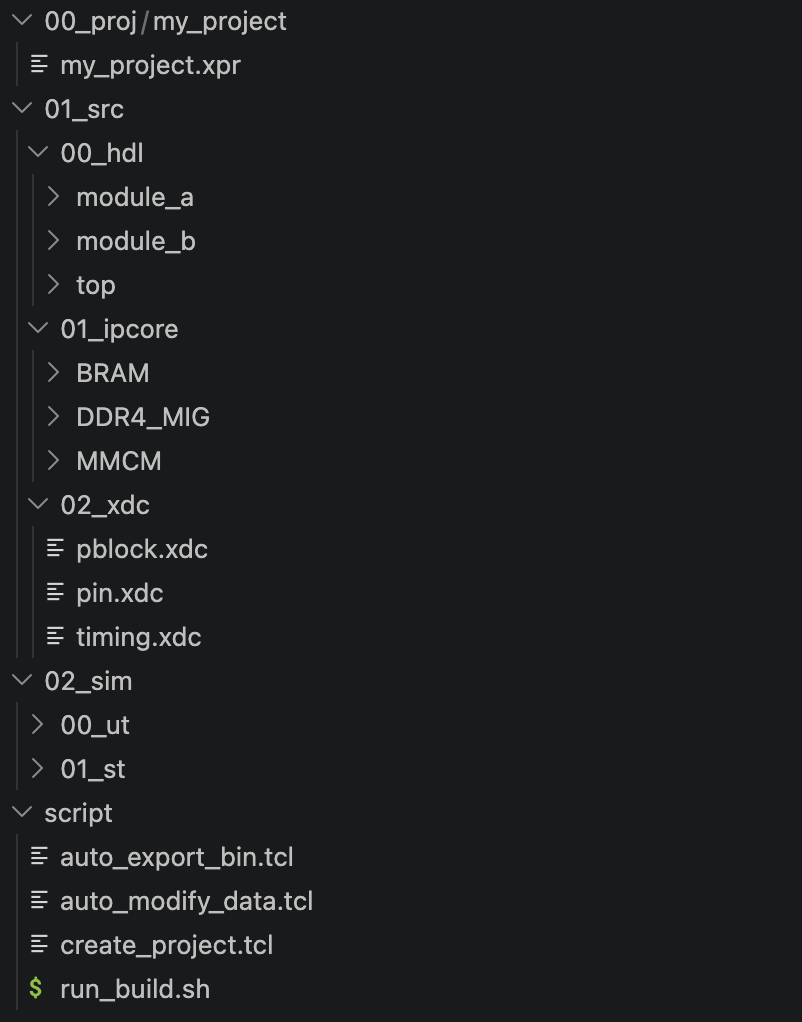
第一步:文件目录

462

如上图所示,建议按照使用规范 — 工程目录中的格式创建工程


第二步:复制源码

该工程管理只需要在 project/script 路径下创建如下 4 个文件,所有代码均在 源码 一节中

  • run_build.sh:create_project.tcl 的启动脚本
  • create_project.tcl:Vivado 工程中的 Tcl 命令合集,用于复刻 Vivado 工程
  • auto_modify_data.tcl:自动修改版本日期
  • auto_export_bin.tcl:自动导出 Bitstream 到某路径


第三步:修改脚本

只需要按照注释中有标有 1. 2. 3. 这样的步骤,去修改对应的路径和参数即可

run.sh

600

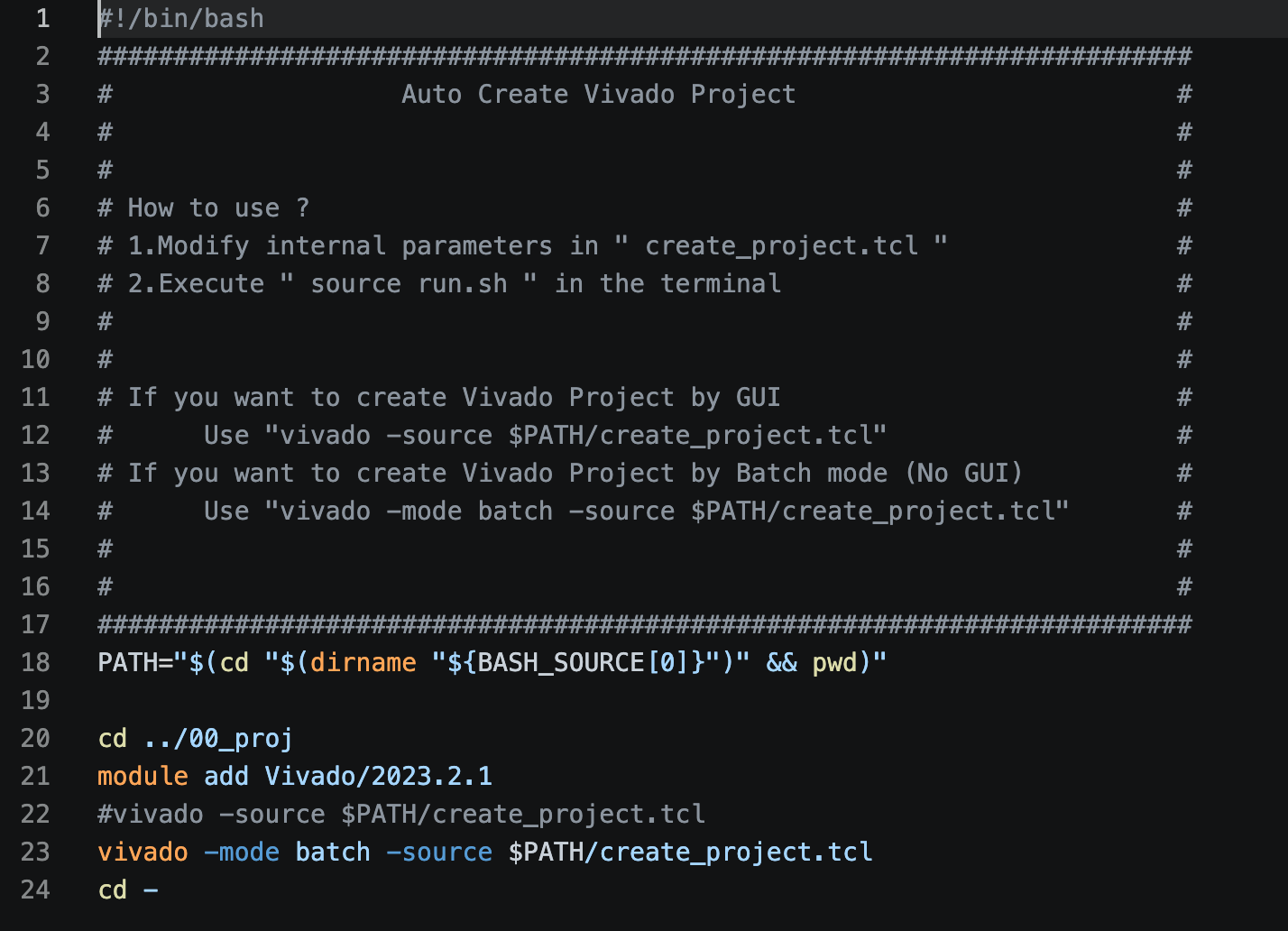
该脚本仅仅是作为 create_project.tcl 的启动脚本。如果是按照 ”使用规范 — 工程目录“ 中定义的目录格式的话,无需改动

  • 22行代码:以 GUI 的形式搭建 Vivado 工程
  • 23行代码:以非 GUI 的形式搭建 Vivado 工程


create_project.tcl

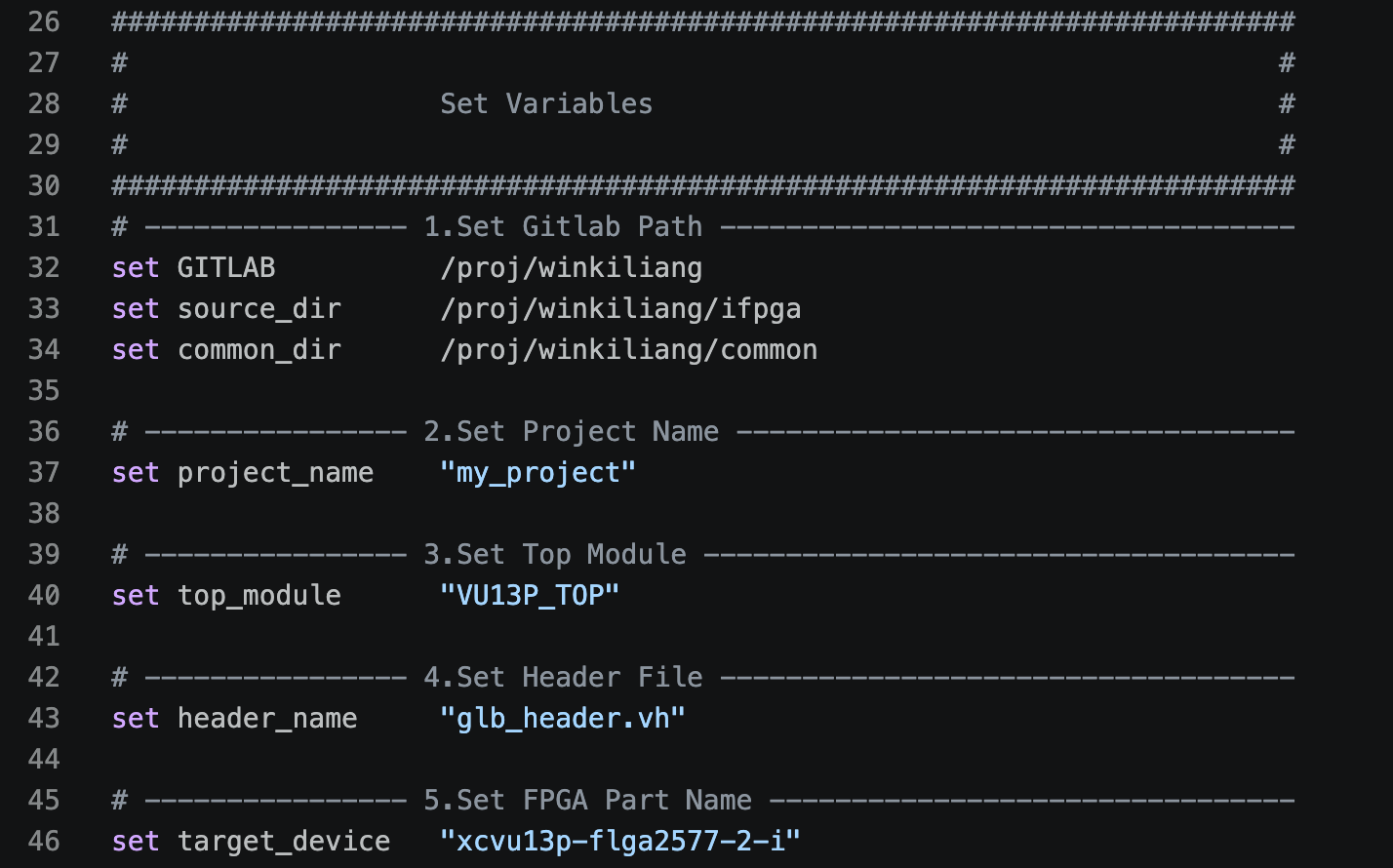
  • 第一处:设置变量

    600

    • GITLAB:工程源码的顶层路径
    • project_name:搭建的 Vivado 工程名称
    • top_module:顶层文件名(代码中的顶层 Module 名)
    • header_name:头文件,脚本定义该头文件的路径为 ${GITLAB}/01_src/00_hdl/top/ (可根据情况修改)
    • targe_device:FPGA型号


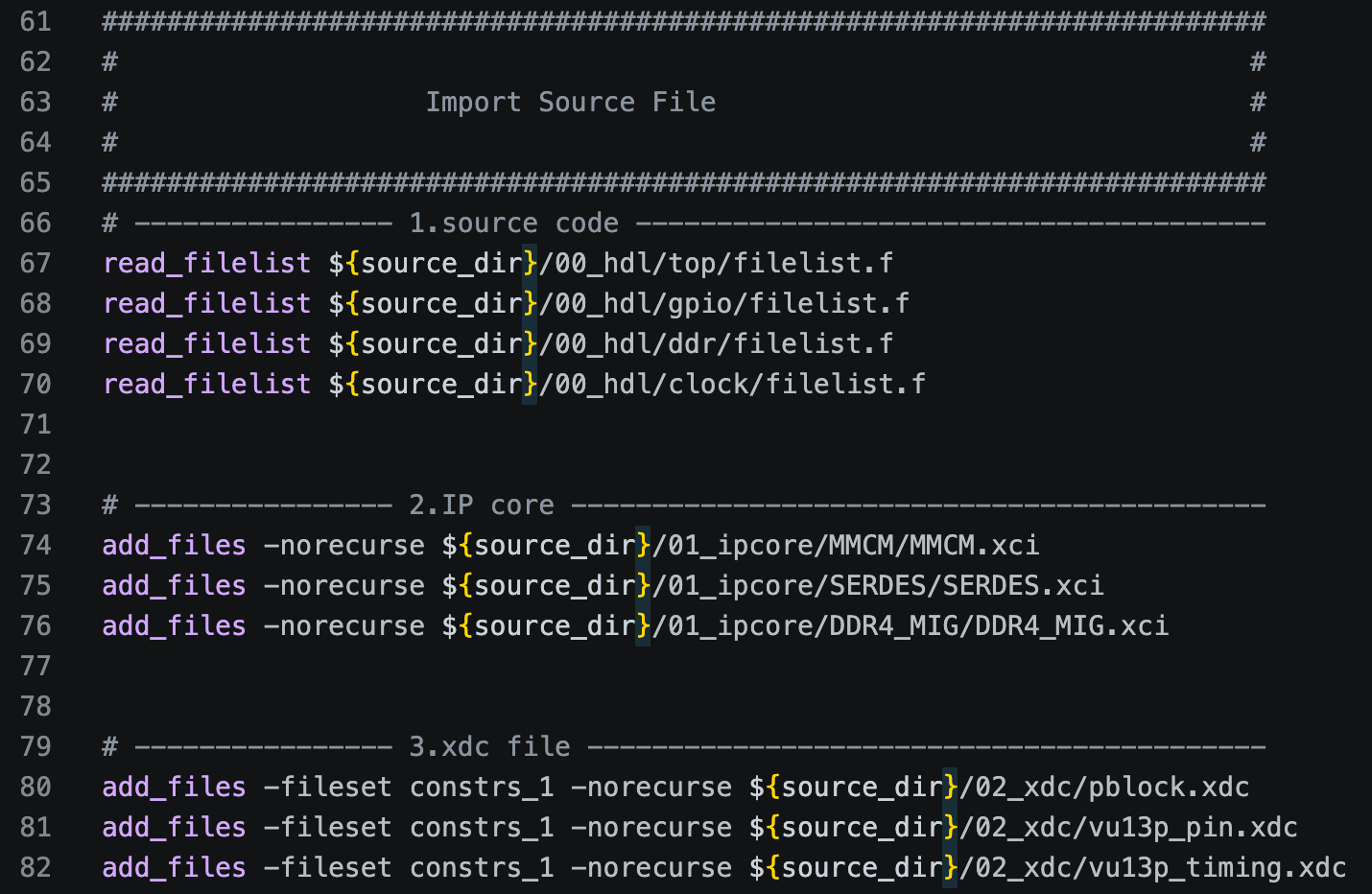
  • 第二处:导入文件

    600

    • source code:各个子系统的 filelist.f 文件

    • IP Core:工程中所用到的 IP Core

    • xdc file:工程约束文件

      注:read_filelist 并非 Vivado 提供的命令,而是自定义的一个函数
      内容是将 filelist.f 里面的文件前都加上 add_files -norecurse(这是 Vivado 官方添加文件的 tcl 命令)


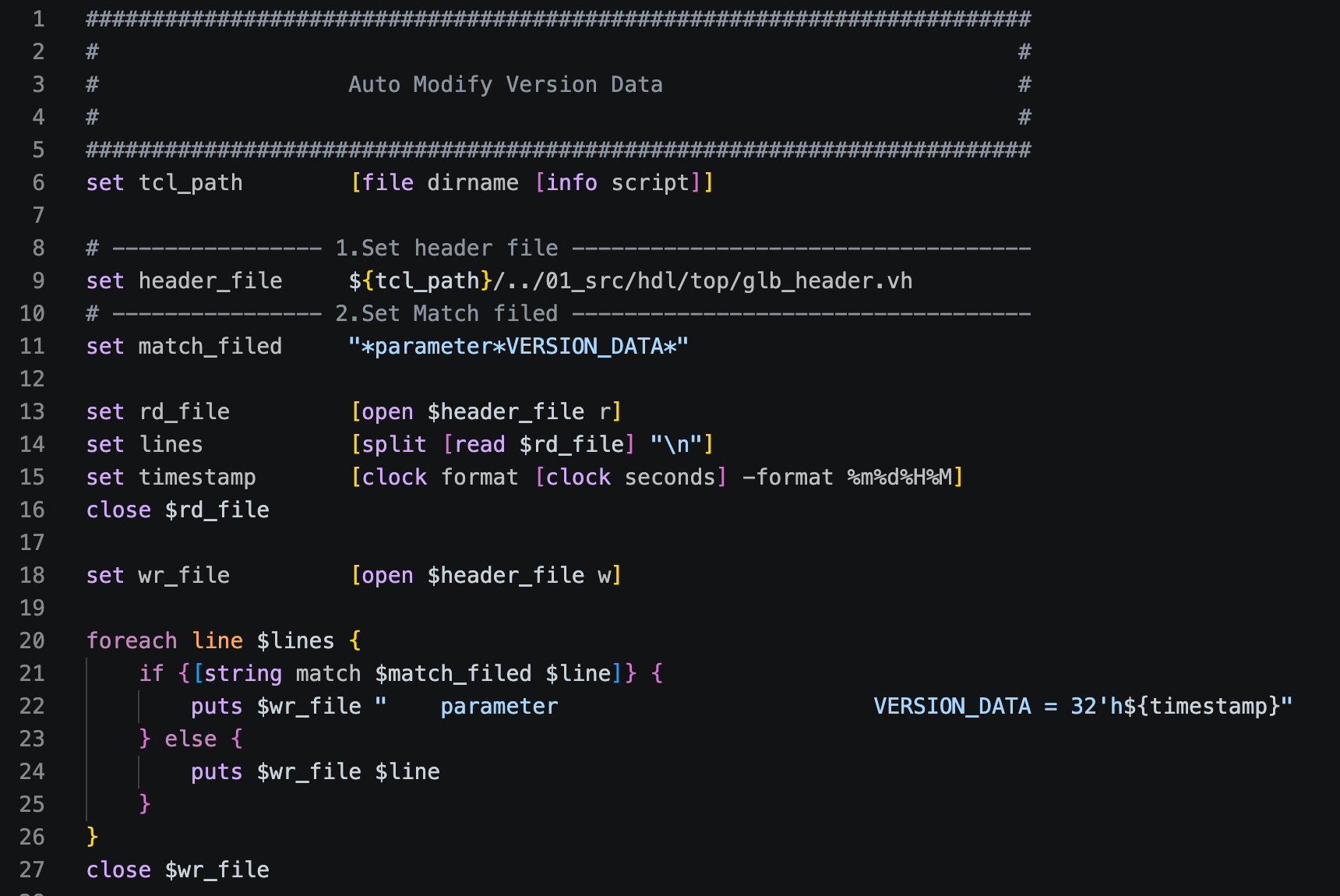
auto_modify_data.tcl

600
我们在编译工程时,一般会在某个寄存器里面写入当前编译的时间或版本。
这里通过脚本识别 ”带有版本信息的文件“ 中是否匹配字段,若匹配上,则对当前行进行修改

  • header_file:带有版本信息的文件
  • match_filed:匹配字段
  • 22行,匹配后改写的内容格式


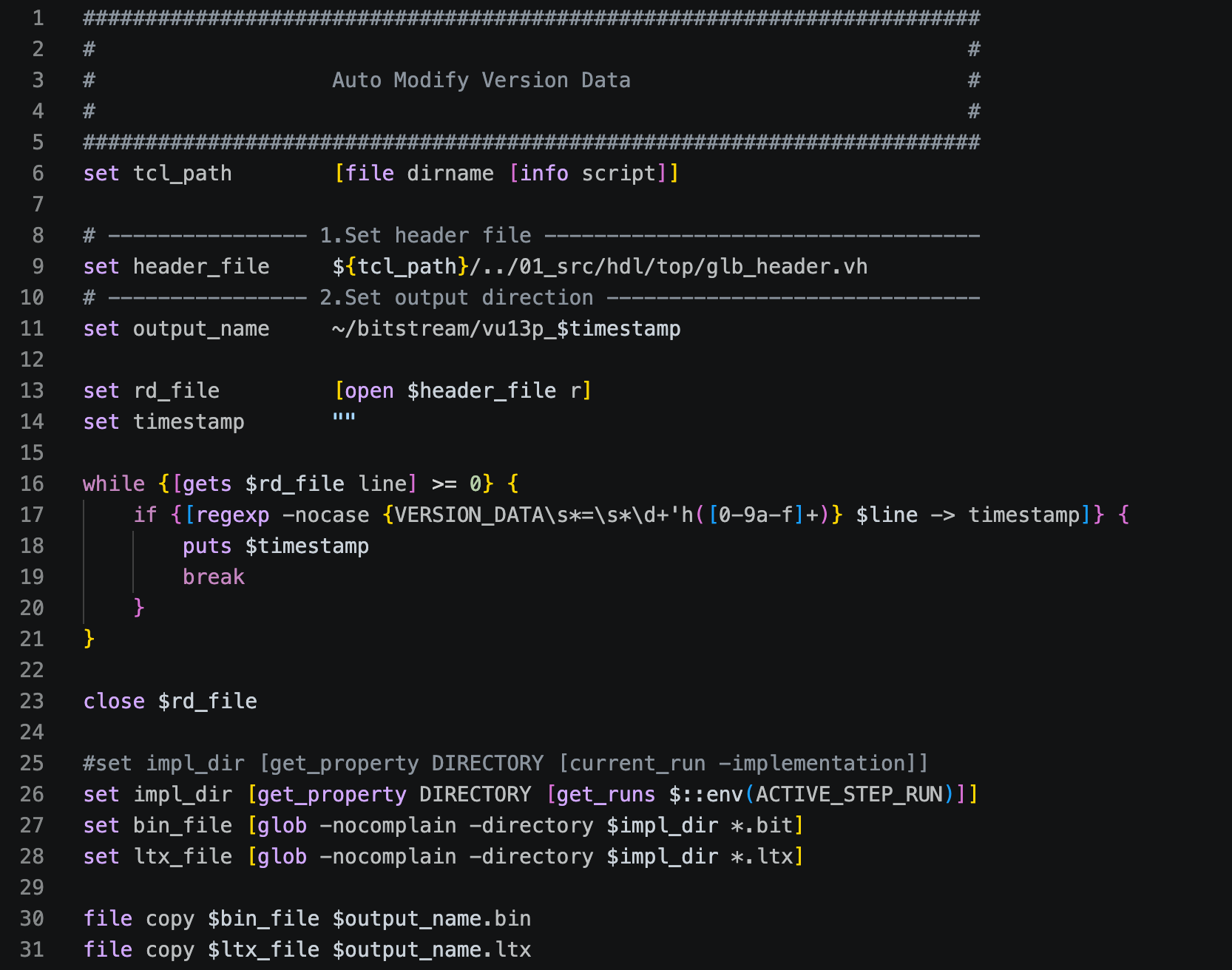
auto_export_bin.tcl

600
该脚本的作用是将生成的 bin 文件和 ltx 文件按照编译前修改的版本日期命名,并导出到对应的路径

  • header_file:带有版本信息的文件,用于获取编译时间
  • output_name:修改命名后的输出路径


使用规范


工程目录

  1. 搭建工程时,建议按照以下层级目录进行搭建,当前的脚本都是按照该格式获取对应文件;若想按照自己的目录结构搭建,需要清晰知道修改脚本的哪些地方
Example

1
2
3
4
5
6
7
8
9
10
11
12
13
14
15
16
17
18
19
20
21
22
23
24
25
26
27
28
29
30
31
32
33
34
35
36
37
38
39
40
project
00_proj/ # 工程文件夹
my_project/
my_project.xpr
01_src/ # 代码文件夹
00_hdl/ # HDL源代码
top/ # 顶层文件夹
filelist.f # 顶层文件列表
header.vh # 头文件
vu13p_top.v
core_top.v
macro_top.v
module_a/ # 模块A文件夹
filelist.f
module_a_top.v
module_a_sub_1.v
module_a_sub_2.v
module_b/ # 模块B文件夹
filelist.f
module_b_top.v
module_b_sub_1.v
module_b_sub_2.v
01_ipcore/ # IP Core文件夹
DDR_MIG/
MMCM/
BRAM/
02_xdc/ # 约束文件夹
pin.xdc
timing.xdc
pblock.xdc
02_sim/ # 仿真文件夹
00_ut/
01_st/
script/ # 脚本文件夹
run_build.sh # 执行creste_project.tcl脚本
create_project.tcl # 建立工程脚本
auto_modify_data.tcl # 自动更新版本时间脚本
auto_export_bin.tcl # 自动导出bin文件脚本
.gitignore # Git忽略规则文件
README.txt # 说明文档


文件列表

  1. 每个功能模块中都需要有一个包含该功能所有子模块的文件列表
  2. 路径的前缀必须是 ${GITLAB} ,由于开发人员的文件路径不同,使用相对路径可统一文件的获取路径
  3. 另外在建立工程时,tcl 脚本是通过识别 ${GITLAB} 字段把文件添加到 Vivado 中。统一路径前缀后,可只在每个功能模块中添加一个 filelist. f 表即可在仿真Vivado工程中使用

文件格式如下

Example

1
2
3
4
5
6
${GITLAB}/ifpga/i2c_master/aaa.v
${GITLAB}/ifpga/i2c_master/bbb.v
${GITLAB}/ifpga/i2c_master/ccc.v
...
${GITLAB}/common/reg_op/rw_reg.v
${GITLAB}/common/reg_op/ntest.v


.gitignore

  1. 在使用 Git 管理工程时,.gitignore 是用来忽略某些不需要 track 的文件夹和文件
  2. 当我们使用 ALE 去辅助编码时(检测语法是否正确),通常会产生一些临时的 work/ xsim.dir/ xvlog.log xvlog.pb 这些临时文件,那么在查看 git status 时不想看到这些临时文件,就可以通过 .gitignore 给忽略掉
  3. 由于 Vivado 工程可通过 create_project.tcl 脚本去搭建,因此在使用 Git 的时候就不需要上传工程的 xpr 文件
Example

1
2
3
4
5
6
7
8
9
10
11
12
13
14
15
16
17
18
19
20
########################################################################
# #
# Folder #
# #
########################################################################
work/
xsim.dir/
00_proj/


########################################################################
# #
# File #
# #
########################################################################
.gitignore
xvlog.log
xvlog.pb


源码


run.sh

Example

1
2
3
4
5
6
7
8
9
10
11
12
13
14
15
16
17
18
19
20
21
22
23
24
#!/bin/bash
########################################################################
# Auto Create Vivado Project #
# #
# #
# How to use ? #
# 1.Modify internal parameters in " create_project.tcl " #
# 2.Execute " source run.sh " in the terminal #
# #
# #
# If you want to create Vivado Project by GUI #
# Use "vivado -source $PATH/create_project.tcl" #
# If you want to create Vivado Project by Batch mode (No GUI) #
# Use "vivado -mode batch -source $PATH/create_project.tcl" #
# #
# #
########################################################################
PATH="$(cd "$(dirname "${BASH_SOURCE[0]}")" && pwd)"

cd ../00_proj
module add Vivado/2023.2.1
#vivado -source $PATH/create_project.tcl
vivado -mode batch -source $PATH/create_project.tcl
cd -


create_project.tcl

Example

1
2
3
4
5
6
7
8
9
10
11
12
13
14
15
16
17
18
19
20
21
22
23
24
25
26
27
28
29
30
31
32
33
34
35
36
37
38
39
40
41
42
43
44
45
46
47
48
49
50
51
52
53
54
55
56
57
58
59
60
61
62
63
64
65
66
67
68
69
70
71
72
73
74
75
76
77
78
79
80
81
82
83
84
85
86
87
88
89
90
91
92
93
94
95
96
97
98
99
100
101
102
103
104
105
106
107
108
########################################################################
# #
# Localparameter #
# #
########################################################################
set tcl_dir [file dirname [file normalize [info script]]]
set project_dir [file normalize "${tcl_dir}/../00_proj"]

proc read_filelist {filename} {
global GITLAB
set fp [open $filename r]
set lines [split [read $fp] "\n"]
close $fp

foreach line $lines {
if {[string match "*\${GITLAB}" $line] && ![string match "*_sim_netlist*" $line]} {
set new_line [string map [list "\${GITLAB}" "$GITLAB"] $line]
set cmd "add_files -norecurse $new_line"
eval $cmd
}
}
}


########################################################################
# #
# Set Variables #
# #
########################################################################
# ---------------- 1.Set Gitlab Path -----------------------------------
set GITLAB /proj/winkiliang
set source_dir /proj/winkiliang/ifpga
set common_dir /proj/winkiliang/common

# ---------------- 2.Set Project Name ----------------------------------
set project_name "my_project"

# ---------------- 3.Set Top Module ------------------------------------
set top_module "VU13P_TOP"

# ---------------- 4.Set Header File -----------------------------------
set header_name "glb_header.vh"

# ---------------- 5.Set FPGA Part Name --------------------------------
set target_device "xcvu13p-flga2577-2-i"


########################################################################
# #
# Creat Vivado Project #
# #
########################################################################
create_project $project_name ${project_dir}/${project_name} -part $target_device -force


########################################################################
# #
# Import Source File #
# #
########################################################################
# ---------------- 1.source code ---------------------------------------
read_filelist ${source_dir}/00_hdl/top/filelist.f
read_filelist ${source_dir}/00_hdl/gpio/filelist.f
read_filelist ${source_dir}/00_hdl/ddr/filelist.f
read_filelist ${source_dir}/00_hdl/clock/filelist.f


# ---------------- 2.IP core -------------------------------------------
add_files -norecurse ${source_dir}/01_ipcore/MMCM/MMCM.xci
add_files -norecurse ${source_dir}/01_ipcore/SERDES/SERDES.xci
add_files -norecurse ${source_dir}/01_ipcore/DDR4_MIG/DDR4_MIG.xci


# ---------------- 3.xdc file ------------------------------------------
add_files -fileset constrs_1 -norecurse ${source_dir}/02_xdc/pblock.xdc
add_files -fileset constrs_1 -norecurse ${source_dir}/02_xdc/vu13p_pin.xdc
add_files -fileset constrs_1 -norecurse ${source_dir}/02_xdc/vu13p_timing.xdc


########################################################################
# #
# Auto Set Vivado Property #
# #
########################################################################
#set_property top $top_module [current_fileset]
#set_property is_global_include true [get_files ${source_dir}/00_hdl/top/${header_name}]
#add_files -fileset utils_1 -norecurse ${tcl_dir}/auto_modify_data.tcl
#set_property STEPS.SYNTH_DESIGN.TCL.PRE [ get_files ${tcl_dir}/auto_modify_data.tcl -of [get_fileset utils_1] ] [get_runs synth_1]

set_property top $top_module [current_fileset]
set_property is_global_include true [get_files ${source_dir}/00_hdl/top/${header_name}]
add_files -fileset utils_1 -norecurse ${tcl_dir}/auto_modify_data.tcl
add_files -fileset utils_1 -norecurse ${tcl_dir}/auto_export_bin.tcl
set_property STEPS.SYNTH_DESIGN.TCL.PRE [ get_files ${tcl_dir}/auto_modify_data.tcl -of [get_fileset utils_1] ] [get_runs synth_1]
set_property STEPS.WRITE_BITSTREAM.TCL.POST ${tcl_dir}/auto_export_bin.tcl [get_runs -filter {IS_IMPLEMENTATION == 1}]

puts "########################################################################"
puts "#"
puts "# Project $project_name created successfully in $project_dir ~ "
puts "#"
puts "########################################################################"


auto_modify_data.tcl

Example

1
2
3
4
5
6
7
8
9
10
11
12
13
14
15
16
17
18
19
20
21
22
23
24
25
26
27
########################################################################
# #
# Auto Modify Version Data #
# #
########################################################################
set tcl_path [file dirname [info script]]

# ---------------- 1.Set header file -----------------------------------
set header_file ${tcl_path}/../01_src/hdl/top/glb_header.vh
# ---------------- 2.Set Match filed -----------------------------------
set match_filed "*parameter*VERSION_DATA*"

set rd_file [open $header_file r]
set lines [split [read $rd_file] "\n"]
set timestamp [clock format [clock seconds] -format %m%d%H%M]
close $rd_file

set wr_file [open $header_file w]

foreach line $lines {
if {[string match $match_filed $line]} {
puts $wr_file " parameter VERSION_DATA = 32'h${timestamp}"
} else {
puts $wr_file $line
}
}
close $wr_file


auto_export_bin.tcl

Example

1
2
3
4
5
6
7
8
9
10
11
12
13
14
15
16
17
18
19
20
21
22
23
24
25
26
27
28
29
30
31
########################################################################
# #
# Auto Modify Version Data #
# #
########################################################################
set tcl_path [file dirname [info script]]

# ---------------- 1.Set header file -----------------------------------
set header_file ${tcl_path}/../01_src/hdl/top/glb_header.vh
# ---------------- 2.Set output direction ------------------------------
set output_name ~/bitstream/vu13p_$timestamp

set rd_file [open $header_file r]
set timestamp ""

while {[gets $rd_file line] >= 0} {
if {[regexp -nocase {VERSION_DATA\s*=\s*\d+'h([0-9a-f]+)} $line -> timestamp]} {
puts $timestamp
break
}
}

close $rd_file

#set impl_dir [get_property DIRECTORY [current_run -implementation]]
set impl_dir [get_property DIRECTORY [get_runs $::env(ACTIVE_STEP_RUN)]]
set bin_file [glob -nocomplain -directory $impl_dir *.bit]
set ltx_file [glob -nocomplain -directory $impl_dir *.ltx]

file copy $bin_file $output_name.bin
file copy $ltx_file $output_name.ltx


版本记录


版本号 描述 日期 作者
v1.0 初版 Vivado 工程管理文档 2026/06/01 winki
v2.0 read_filelist函数中补充 “忽略sim_netlist的文件” 的条件判断 2026/06/23 winki


待优化事项


  • [ ] gitignore 中并不完善,如:对于已经 track 的 ip core ,非必要我们不再关注,所以 git status 里可以不显示